Table of Contents
When it comes to choosing the best website for service business owners, two platforms consistently dominate the conversation: Showit and WordPress. If you're comparing Showit vs WordPress, you're likely feeling the tension between complete design freedom and limitless functionality. Should you choose Showit for its pixel-perfect drag-and-drop builder, or WordPress for its unmatched scalability and SEO power? In this comprehensive guide, we'll break down exactly which platform actually gets you more clients and how to decide whether Showit or WordPress is the right foundation for your service-based business.
The Two Camps: Who Uses Showit vs. WordPress
Choosing between Showit and WordPress often comes down to your industry and how you acquire clients. These platforms have distinct user bases because they solve fundamentally different problems.
Showit: The Visual Creative's Dream
Showit has cornered the market on visual-first service businesses. Showit for photographers, brand designers, wedding planners, and creative coaches is practically the industry standard. Why? Because these businesses sell aesthetics and emotion. Their website must be a flawless reflection of their brand. Showit allows for absolute creative control without writing a single line of code. If you can dream it up in Canva or Illustrator, you can build it in Showit. There are no rigid templates or CSS overrides to wrestle with—just pure, unadulterated drag-and-drop freedom.
WordPress: The Scalable Powerhouse
WordPress, on the other hand, is the engine behind over 40% of the web. It's the go-to choice for marketing agencies, enterprise businesses, membership sites, and WordPress for coaches who need complex funnels. Why do these groups gravitate toward WordPress? Scalability. When a business needs dynamic content architecture, advanced SEO capabilities, robust e-commerce, or intricate membership portals, WordPress is unmatched. It's not just a website builder; it's a fully-fledged Content Management System (CMS) that can grow into whatever you need it to be.
Head-to-Head Platform Comparison
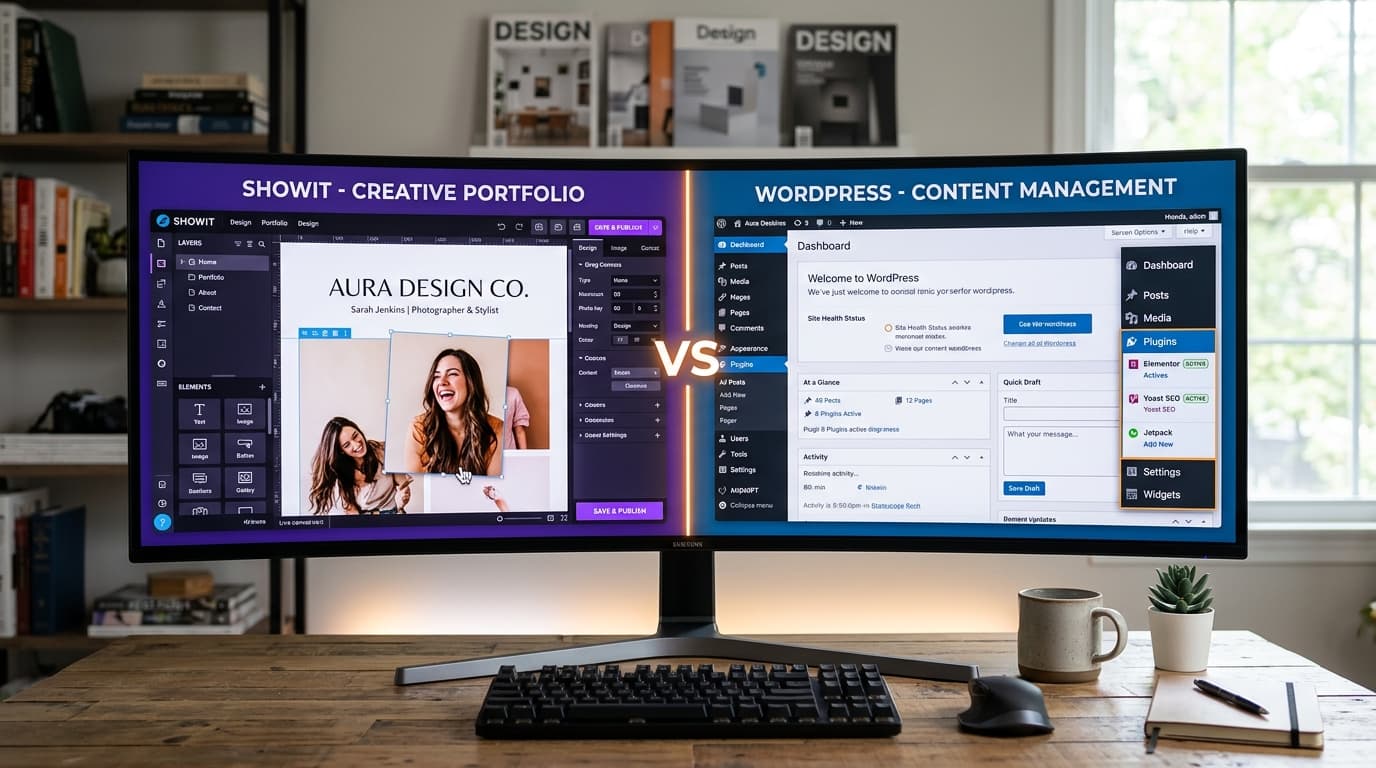
To really understand the Showit vs WordPress debate (and maybe even Showit vs Squarespace, though we'll focus on the big two here), let's look at a direct feature comparison. This table highlights where each platform shines and where they might hold you back.
| Feature | Showit | WordPress |
|---|---|---|
| Design Freedom | Pixel-perfect drag-and-drop, complete visual control | Theme-based, requires page builders (like Elementor) or custom code |
| SEO Capabilities | Built-in basics, good for local SEO | Advanced control with plugins like Yoast or RankMath, unmatched flexibility |
| E-commerce | Limited, requires embedding third-party tools like Shopify Lite | Full control with WooCommerce, capable of scaling to thousands of products |
| Page Speed | Fast, hosted on AWS CDN out of the box | Depends entirely on your hosting provider and optimization efforts |
| Built-in Hosting | Yes, included in the monthly subscription | No, requires separate hosting (e.g., WP Engine, SiteGround) |
| Learning Curve | Low, highly intuitive visual interface | Medium-High, steeper learning curve for backend management |
| Monthly Cost | $19-$39/mo (includes hosting) | $5-$50+/mo (hosting + premium plugins/themes) |
| Blog Capabilities | Uses WordPress for blogging (best of both worlds) | Native, industry-leading blogging platform |
When Showit Is the Better Choice
If your business relies heavily on a stunning portfolio—think interior designers, fine art photographers, and luxury event planners—Showit is often the superior choice. The platform allows you to create highly customized, mobile-optimized experiences that look more like digital magazines than standard websites.
One of Showit's greatest strengths is its blog integration. When you subscribe to their Advanced Blog tier, Showit actually creates a WordPress blog for you, seamlessly integrating your Showit design with the WordPress backend. This means you get the visual frontend of Showit with the SEO and content management power of WordPress.
While Showit is a no-code tool, you can still add custom snippets to elevate the user experience. For example, you might want to add some custom CSS for advanced hover effects on your portfolio grids to make your images pop.
/* Custom Showit CSS for Portfolio Image Hover Effect */
.portfolio-grid-item img {
  transition: transform 0.4s cubic-bezier(0.25, 0.46, 0.45, 0.94), filter 0.4s ease;
  filter: grayscale(20%);
}

.portfolio-grid-item:hover img {
  transform: scale(1.05);
  filter: grayscale(0%);
  box-shadow: 0 10px 30px rgba(0, 0, 0, 0.15);
}
When WordPress Is the Better Choice
WordPress shines when your service business requires heavy lifting. If you are a consultant with a massive library of resources, a coach offering tiered membership courses, or an agency needing complex client portals, WordPress is the definitive answer.
The true power of WordPress lies in its ecosystem of over 60,000 plugins. Whether you need advanced schema markup for SEO, a booking system synced to your calendar, or an affiliate program, there is a plugin for it. You own your data, and your site can be customized at the server level for ultimate performance.
For service providers looking to build trust, dynamic content is key. Here's a custom WordPress shortcode snippet that registers a dynamic testimonial carousel, pulling in 'Testimonial' custom post types.
<?php
// Custom WordPress Shortcode for Dynamic Testimonials
function figmantor_testimonial_carousel() {
  $args = array(
    'post_type'      => 'testimonial',
    'posts_per_page' => 5,
    'orderby'        => 'rand'
  );
  $query = new WP_Query($args);

  if ($query->have_posts()) {
    $output = '<div class="testimonial-carousel">';
    while ($query->have_posts()) {
      $query->the_post();
      $output .= '<div class="testimonial-slide">';
      $output .= '<blockquote>' . get_the_content() . '</blockquote>';
      $output .= '<cite>- ' . get_the_title() . '</cite>';
      $output .= '</div>';
    }
    $output .= '</div>';
    wp_reset_postdata();
    return $output;
  }
  return 'No testimonials found.';
}
add_shortcode('testimonials', 'figmantor_testimonial_carousel');
?>
Making the Right Choice for Your Business
So, Showit or WordPress? The decision ultimately comes down to your primary business goals. Here is a simple framework to help you decide:
- If you need absolute design control without coding, and your business is highly visual (like photography or design), choose Showit.
- If you need complex functionality like full e-commerce, membership areas, advanced SEO, or a massive content library, choose WordPress.
- If you want the best of both worlds—stunning design with a powerful blog—choose Showit with the integrated WordPress blog tier.
- If you want to build a highly optimized, custom-coded site using React or Next.js that pulls data from a CMS, WordPress is an excellent headless backend.
Remember, your website is an investment in client acquisition. The right platform is the one that supports your specific growth strategy without causing administrative headaches. At Figmantor, we specialize in building high-converting websites on both Showit and WordPress, as well as modern Next.js applications. If you're still on the fence about which platform is best for your service-based business, our team can help you analyze your goals and build the perfect digital home.
Related Articles
How to Convert Figma to Elementor WordPress — Complete Guide 2026
Learn the complete step-by-step process for converting Figma designs into pixel-perfect WordPress Elementor websites. Covers design audits, asset optimizations, containers, and QA.
ShowitFigma to Showit: Build Stunning Showit Websites From Your Designs
Discover how to transform your Figma mockups into beautiful, drag-and-drop Showit websites. Learn the custom canvas settings, mobile-first design, and WordPress blog styling.